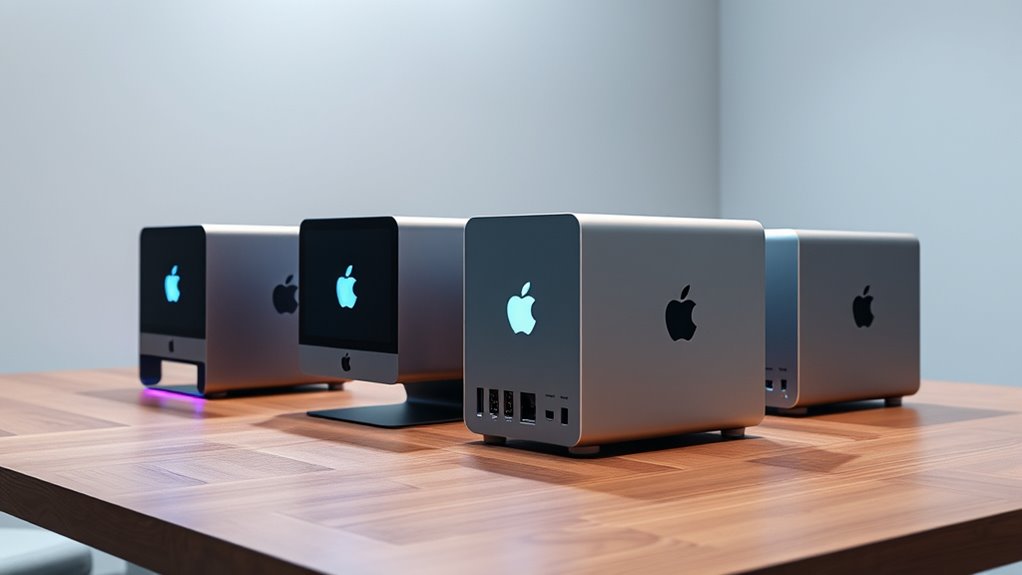

Choosing the right Mac Studio configuration in 2026 depends heavily on your workload, budget, and future-proofing needs. The Mac Studio with Apple M4 Max Chip offers a balanced mix of power and connectivity, ideal for demanding creative tasks without breaking the bank. The Apple 2026 Mac Studio with M5 Max Chip stands out for its exceptional processing capabilities and seamless Apple ecosystem integration, perfect for high-end workflows. Meanwhile, the Renewed 2022 Mac Studio with M1 Max provides a budget-friendly option for those who need strong performance but are willing to accept some limitations. Lastly, the Apple Mac Studio with M4 Max and 64GB RAM is tailored for professionals running intense visual effects, 3D rendering, or film production, with its hefty specs and large storage capacity. Each choice involves tradeoffs in price, upgradeability, and ecosystem reliance, making it essential to match your specific needs with these configurations.

Get workout gear delivered free with Prime
- Fast, free delivery on millions of items
- Prime Video, Amazon Music and more included
- Member-only deals all year
Complete the kit



Key Takeaways
- The M4 Max-powered Mac Studio offers a great balance of power and connectivity for demanding workflows.
- The M5 Max configuration excels in processing and integration, but comes with a premium price.
- Renewed M1 Max models provide excellent value but lack some features and modern connectivity options.
- High-end configurations with large RAM and storage are best suited for intensive creative professionals.
- Your ideal setup depends on budget, upgrade expectations, and reliance on the Apple ecosystem.
| Mac Studio with Apple M4 Max Chip – 14-Core CPU, 32-Core GPU, 36GB Unified Memory, 512GB SSD |  | Best Overall Balance of Power and Connectivity | Processor: Apple M4 Max chip with 14-core CPU | Graphics: 32-core GPU | Memory: 36GB Unified Memory | VIEW ON AMAZON | See Our Full Breakdown |
| Apple 2026 Mac Studio Desktop Computer with M5 Max Chip |  | Best for High-End Processing and Ecosystem Integration | Processor: M5 Max chip | Memory: Up to 128GB | Storage: Up to 614GB/s bandwidth, up to 2x faster | VIEW ON AMAZON | See Our Full Breakdown |
| Apple 2022 Mac Studio with M1 Max Chip, 10-Core CPU, 32GB RAM, 512GB SSD (Renewed) |  | Best Budget-Friendly High Performance | Processor: M1 Max Chip | CPU Cores: 10-Core | RAM: 32GB | VIEW ON AMAZON | See Our Full Breakdown |
| Apple Mac Studio with M4 Max, 16-Core CPU, 40-Core GPU, 64GB Unified Memory, 2TB SSD |  | Best for Demanding Visual and Creative Work | Processor: M4 Max 16-Core CPU | Graphics: 40-Core GPU | Memory: 64GB Unified Memory | VIEW ON AMAZON | See Our Full Breakdown |
| mac studio configuration | Processor | Storage | Memory | Graphics |
|---|---|---|---|---|
| Mac Studio with Apple M4 Max C | Apple M4 Max chip with 14-core CPU | 512GB SSD | 36GB Unified Memory | 32-core GPU |
| Apple 2026 Mac Studio Desktop | M5 Max chip | Up to 614GB/s bandwidth, up to 2x faster | Up to 128GB | — |
| Apple 2022 Mac Studio with M1 | M1 Max Chip | 512GB SSD | — | — |
| Apple Mac Studio with M4 Max | M4 Max 16-Core CPU | 2TB SSD | 64GB Unified Memory | 40-Core GPU |
More Details on Our Top Picks
Mac Studio with Apple M4 Max Chip – 14-Core CPU, 32-Core GPU, 36GB Unified Memory, 512GB SSD
This Mac Studio features the powerful M4 Max chip with a 14-core CPU and 32-core GPU, making it well-suited for intensive creative workflows like video editing, 3D rendering, or software development. It offers extensive connectivity with four Thunderbolt 5 ports, HDMI, and an SDXC card slot, supporting up to five external displays. Compared with the M5 Max setup, this model lacks the raw processing speed but compensates with more versatile connectivity options and a lower price point. The main tradeoff is its limited storage without upgrades, which could be restrictive for large projects.
Pros:- Powerful M4 Max chip with high CPU/GPU cores
- Multiple ports supporting extensive external displays
- Supports up to five external displays for complex setups
Cons:- High price point may be prohibitive
- Limited storage options without additional investment
Best for: Professional creators who need a powerful, versatile desktop without the highest-end price
Not ideal for: Users requiring maximum CPU and GPU performance or extensive upgradeability
- Processor:Apple M4 Max chip with 14-core CPU
- Graphics:32-core GPU
- Memory:36GB Unified Memory
- Storage:512GB SSD
- Ports:Four Thunderbolt 5, two USB-A, HDMI, SDXC, headphone jack
- Supports:Up to five external displays
Our verdict“A balanced choice for professionals needing power and connectivity without the premium cost of the latest chips.”
Apple 2026 Mac Studio Desktop Computer with M5 Max Chip
This model features the M5 Max chip, offering exceptional performance for creative professionals and AI workflows. Its support for up to 128GB of RAM and 2x faster storage bandwidth makes it a top-tier choice for demanding users. Its compact design, measuring just 7.7 inches square, ensures it fits comfortably on most desks while providing extensive connectivity—four Thunderbolt 5 ports, USB-C, USB-A, HDMI, SDXC, and more. Compared with the M4 Max version, this setup provides a significant boost in processing power and memory capacity, but at a premium cost. It also relies heavily on the Apple ecosystem, limiting upgrade options.
Pros:- Exceptional processing power with M5 Max chip
- Supports up to 128GB RAM for multitasking
- Compact, quiet, and sleek design
Cons:- High price may deter some buyers
- Limited upgradeability due to integrated components
Best for: Power users in creative, AI, or data-heavy industries who need maximum processing speed
Not ideal for: Budget-conscious buyers or those who require frequent hardware upgrades
- Processor:M5 Max chip
- Memory:Up to 128GB
- Storage:Up to 614GB/s bandwidth, up to 2x faster
- Ports:Four Thunderbolt 5, two USB-C, two USB-A, HDMI, SDXC
- Wireless:Wi-Fi 7, Bluetooth 6
- Dimensions:7.7-inch square
- Operating System:macOS
Our verdict“An excellent choice for professionals who need top-tier performance and seamless Apple ecosystem integration.”
Apple 2022 Mac Studio with M1 Max Chip, 10-Core CPU, 32GB RAM, 512GB SSD (Renewed)
This renewed Mac Studio packs the M1 Max chip with a 10-core CPU and 32GB of RAM, providing solid performance for most professional tasks. Its 512GB SSD offers quick storage, and it has been thoroughly tested to meet functional standards. While it’s not the latest model, it remains a capable machine for those who want Apple-level performance without paying full retail prices. The main limitations concern its age and the lack of newer connectivity options, which could impact compatibility with future peripherals or workflows.
Pros:- Powerful M1 Max chip with 10-core CPU
- Large 32GB RAM for multitasking
- Thoroughly tested and fully functional
Cons:- Not Apple certified; may lack warranty support
- Older connectivity options and features
Best for: Budget-conscious creatives needing reliable power for moderate workloads
Not ideal for: Power users requiring the latest chips or maximum RAM and storage
- Processor:M1 Max Chip
- CPU Cores:10-Core
- RAM:32GB
- Storage:512GB SSD
- Battery Capacity:Exceeds 80%
Our verdict“A smart pick for budget-focused users who need capable performance and are comfortable with refurbished hardware.”
Apple Mac Studio with M4 Max, 16-Core CPU, 40-Core GPU, 64GB Unified Memory, 2TB SSD
This high-end Mac Studio is built for the most demanding workflows, such as high-resolution visual effects, complex 3D rendering, or intensive video production. Its 16-core CPU and 40-core GPU deliver outstanding performance, complemented by 64GB of unified memory and a spacious 2TB SSD. Compared with the M5 Max version, this option offers slightly less processing speed but compensates with a larger memory buffer and storage capacity, making it ideal for large-scale projects. The main drawback is its premium price and limited upgrade options after purchase, emphasizing its role as a fixed workstation.
Pros:- Powerful CPU and GPU for intensive tasks
- Large 64GB RAM supports heavy multitasking
- Generous 2TB SSD for extensive storage needs
Cons:- Premium price point
- Limited upgradeability post-purchase
Best for: High-end creative professionals who need maximum power and large storage capacity
Not ideal for: Budget buyers or those seeking upgrade flexibility
- Processor:M4 Max 16-Core CPU
- Graphics:40-Core GPU
- Memory:64GB Unified Memory
- Storage:2TB SSD
Our verdict“A perfect fit for professionals running the most demanding creative workflows requiring massive power and storage.”

How We Picked
Our selection process focused on the latest Apple chip offerings, balancing performance, connectivity, and future-proofing. We evaluated each model’s processor capabilities, memory, storage options, and expandability, comparing their suitability for different professional workflows. Price and ecosystem integration were also key factors, ensuring each configuration offers meaningful value relative to its intended user. We aimed to include options that cater to a range of needs—from budget-conscious buyers to high-end professionals—highlighting the unique strengths and limitations of each.
| mac studio configuration | Processor | Ports |
|---|---|---|
| Mac Studio with Apple M4 Max C | Apple M4 Max chip with 14-core CPU | Four Thunderbolt 5, two USB-A, HDMI, SDXC, headphone jack |
| Apple 2026 Mac Studio Desktop | M5 Max chip | Four Thunderbolt 5, two USB-C, two USB-A, HDMI, SDXC |
| Apple 2022 Mac Studio with M1 | M1 Max Chip | — |
| Apple Mac Studio with M4 Max | M4 Max 16-Core CPU | — |
Factors to Consider When Choosing Mac Studio Configurations
Selecting the ideal Mac Studio configuration involves balancing your performance needs, budget, and desired ecosystem features. The latest chips deliver significant performance boosts, but come at higher prices. Consider how much processing power your workflow demands, whether you need extensive memory or storage, and if future upgradeability matters. Connectivity options and ecosystem integration also influence your choice, especially if you rely on multiple external peripherals or other Apple devices. Below, I break down key factors to help you match your professional needs with the best Mac Studio setup.Performance Needs
Assess your typical workload to determine the necessary processing power. For most creative professionals, the M4 Max offers more than enough for editing, 3D work, and multitasking. Power users in demanding workflows should consider the M5 Max for its additional cores and RAM capacity, ensuring smooth operation during intensive tasks. If budget constraints are tight, the M1 Max in the renewed model still provides solid performance for standard professional use. For those running extremely demanding projects, the M4 Max with 64GB RAM and 2TB storage delivers a robust platform.
Memory and Storage
Choose a configuration with enough RAM and storage to prevent bottlenecks. Creative workflows involving large files or multiple applications benefit from at least 32GB of RAM, as seen in the M1 Max and higher-end M4 Max models. Storage capacity is equally critical; 512GB may suffice for lighter projects but consider 1TB or more if working with large files regularly. The 2TB SSD in the top-tier M4 Max setup is ideal for extensive media libraries and project files, reducing the need for external drives.
Connectivity and Ecosystem
Extensive port options facilitate multiple external displays, peripherals, and data transfer. The latest models feature Thunderbolt 5, HDMI, SDXC, and USB-A ports, supporting complex setups. For professionals who rely heavily on external devices or multiple monitors, ensure your chosen configuration offers enough ports. Ecosystem integration matters too: the M5 Max supports Wi-Fi 7 and Bluetooth 6, providing faster wireless connectivity, which can enhance workflows that depend on networked storage or peripherals.
Frequently Asked Questions
How do the M4 Max and M5 Max chips differ in performance?
The M5 Max chip significantly outperforms the M4 Max in both CPU and GPU tasks, thanks to more cores and higher bandwidth. This translates into faster rendering, smoother multitasking, and better handling of AI or data-heavy workflows. However, this performance boost comes with a higher price, making the M4 Max a more budget-friendly yet still powerful option for most professionals.
Is upgrading storage or memory possible after purchase?
No, both the M4 Max and M5 Max models feature integrated components, meaning upgrades are generally not feasible after purchase. It’s best to select a configuration with enough RAM and storage upfront to match your long-term needs, especially if you handle large files or run multiple demanding applications.
Are renewed or refurbished Mac Studios reliable?
Renewed Mac Studios like the M1 Max model are inspected and tested thoroughly, offering a reliable option at a lower cost. While they are not Apple-certified refurbished products, they usually come with a return window and some warranty. Still, they may lack the latest features or connectivity options, so consider your specific needs before choosing this route.
How important is connectivity in choosing a Mac Studio?
Connectivity is vital if you work with multiple peripherals, external displays, or require fast data transfer. The latest Mac Studios support Thunderbolt 5, HDMI, SDXC, and USB-A ports, which can accommodate complex setups. If your workflow demands extensive external device support, prioritize models with maximum port options and high-speed interfaces.
Who should opt for the highest-end Mac Studio?
The top-tier configurations with 64GB RAM, 2TB SSD, and the M4 Max or M5 Max chips are best suited for professionals involved in high-end visual effects, 3D animation, or large-scale film projects. These setups deliver the maximum performance but come at a premium price, so they are ideal only if your workflow justifies the investment.
Conclusion
For creative professionals with moderate workloads or budget constraints, the renewed M1 Max Mac Studio provides reliable performance at a lower cost. Those needing more power and seamless integration should consider the M4 Max or M5 Max models, with the latter best suited for users running the most demanding tasks. If connectivity and future-proofing are priorities, the latest configurations with extensive ports and high memory capacity will serve best. Ultimately, your choice depends on balancing your performance requirements with your budget and expectations for upgradeability.


